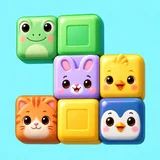
Block Challenge
Explore the game ↗Download APK
Verify this download
SHA-256
1b60eea5e0a755ce70e7139f5c5f9465e8abb6ff422f0ded9797a211d93710d4Release metadata ↗Download our Android builds directly from Vimoora. Choose your game below, then open the APK on your phone to install.
These are direct APK downloads. If you installed a game through Google Play, update it through Google Play.
SHA-256
1b60eea5e0a755ce70e7139f5c5f9465e8abb6ff422f0ded9797a211d93710d4Release metadata ↗
SHA-256
4e83e7703a743d1888ace12ad30e6bb31e096db0876b83608375e361bdf7b969Release metadata ↗
SHA-256
05be8438ddd6787748484009418f4231cc1494b14cf0cf6cb28b29d754adfbcfRelease metadata ↗
SHA-256
fc05c1046fcfac8a06ae8ff5baec07eb44d907f6d3a182377623a0d63b991894Release metadata ↗
SHA-256
d44db648770d953342beb3413d8408f10c017cb1af41fc0da4e3f333b8c66311Release metadata ↗Choose a game on your Android phone. Your browser saves the APK to Downloads.
Open the downloaded file. If Android asks, allow your browser to install this app. You can turn that permission off afterwards.
Launch the game and follow its account or first-play prompts. Online features need an internet connection.
Keep your existing installation when updating. If Android refuses an update, contact us before uninstalling or clearing saved progress.